
Plane Finder - Flight Tracker
pinkfroot limitedTravel & Local
4.6561.00 Reviews
- Version
- 2026.6.1
- Installs
- 1.00M
- Age Rating
- Everyone
Screenshots
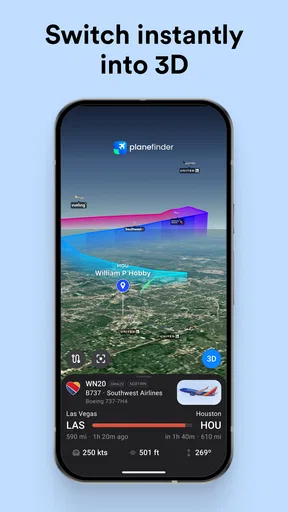
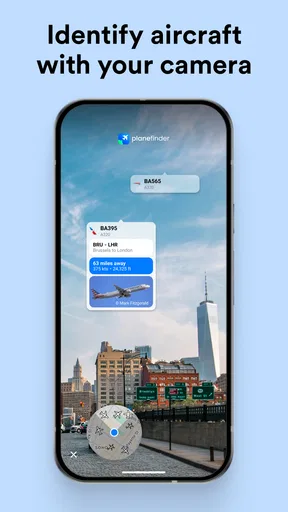
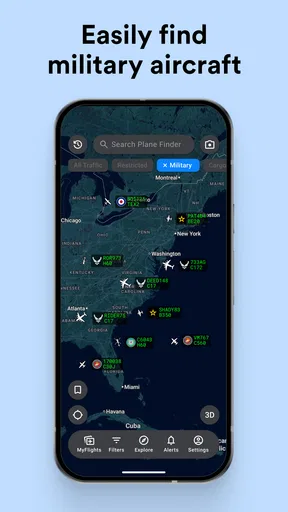
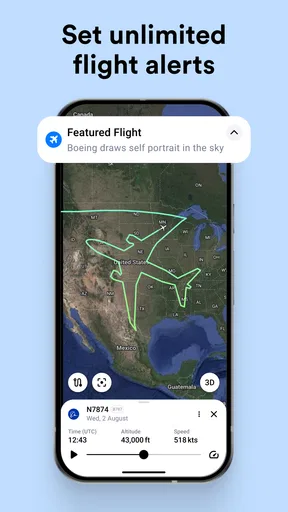
Our Review of Plane Finder - Flight Tracker
 Analysis by Appyee
I find Plane Finder - Flight Tracker most enjoyable when it turns a passing aircraft into a small shared mystery: where did it come from, and where is it going? That makes it an easy app to pass around at home, whether someone is watching from a window or checking a flight before a pickup. It is a travel and local app from pinkfroot limited, built around following aircraft on a map rather than planning a trip or booking a seat. For me, that clear purpose is both its appeal and the main thing to understand before installing it.
Using Plane Finder at home and on the go
In an everyday household scenario, one person can spot a plane outside while another opens the map and narrows down the aircraft. Tapping it gives the group something concrete to discuss, rather than leaving everyone guessing from the sound alone. If a relative is travelling, the same map can help the people waiting at home follow the flight’s progress. I’d treat it as a useful point of reference, not as a promise that it can replace an airline’s own updates when a pickup depends on exact arrival information.
The shared-device angle is worth thinking through before handing over a phone. A map app is easy to explore together, but a family should decide who is using the device and whether anyone wants their own settings or purchase decisions kept separate. I would not assume that sharing a phone automatically creates separate profiles or household controls. If keeping preferences distinct matters, check the device’s account arrangements and the app’s current options before making the phone a communal tracker.
That boundary matters especially if one person is considering paid extras. The app is free to download, while in-app purchases range from $1.99 to $19.99 per item. I’d let the person who manages the device handle any purchase decisions and check what an item includes before paying. The basic use is enough to see whether live aircraft tracking holds the household’s interest; there’s no need to commit money just because a child or guest gets excited by the map.
What a shared flight check can and cannot do
For coordination, the practical routine is simple: find the flight, inspect its current details, then share what you have learned through whatever communication method your household already uses. That can be helpful when someone is deciding whether to leave for the airport, but I would still check the airline or airport for the details that govern a real pickup. A tracking map makes movement visible; it does not make every travel arrangement automatic.
One useful habit is to search by flight number when you already have it, rather than scanning a dense map and guessing which aircraft is the right one. If you only know the airport or location, zooming in first can make the search feel less cluttered. For a group, saying the flight number out loud before opening the app also reduces the chance that two people follow different aircraft with similar routes. These small steps make the map more useful without turning it into a complicated household system.
The live view is also better suited to answering “what is happening now?” than “what happened earlier?” Historical flight information is part of the paid offering described in the app, so someone who mainly wants to review past journeys should check the available purchase details before relying on that workflow. If the goal is simply to see what is overhead or follow a current trip, the live map is the more natural starting point.
Age, trust, and choosing who uses it
The app is rated for Everyone, which makes it approachable for a broad audience, but I would still guide younger users through what the map shows and how to interpret it. Aircraft icons and route details can invite confident guesses that go beyond what the screen actually establishes. I’d frame it as a way to explore flight movement, not as a tool for identifying people, predicting someone’s exact plans, or making safety decisions.
For children who enjoy maps, machines, or spotting aircraft, this can turn an ordinary walk or wait into a learning moment. Ask them to notice how aircraft are arranged around an airport, compare different plane models, or look for airline liveries. Those activities make better use of the app than leaving a young user to tap around without context. Adults should also supervise purchase choices on a shared device, since paid items are available within the app.
Privacy and account boundaries deserve the same ordinary care as with any app used by more than one person. I would avoid treating someone else’s travel details as household entertainment without their knowledge, and I would not use a map display as proof of a person’s location or intentions. For a shared tablet, agree on who can change filters or settings and who is responsible for any in-app purchases. These are sensible ground rules, not special family features I would expect the app to provide.
Who gets the most from the map
Plane Finder suits aviation fans, curious sky-watchers, and people who want a visual way to follow a current flight. It is also a nice fit for a household where one person travels often and others like to see the journey progress. I would be less enthusiastic about recommending it to someone who only needs a quick gate, baggage, or disruption update; the airline’s own app or airport information is usually a more direct place to check those practical details.
Compared with general travel apps, this one focuses on the aircraft in motion rather than the whole trip. It is not trying to be a booking tool, itinerary manager, or broad destination guide. Compared with simply looking up a flight in a search engine, the map gives a more visual sense of nearby and worldwide air traffic, while its filters and aircraft details offer a deeper way to browse. That extra detail can be absorbing, but it can also be more than a casual user needs.
I would also keep expectations realistic about “real time.” The app is designed to show live flight activity, but a map is still an information display, not a substitute for official travel communication. If a delay or arrival time affects a tight connection or a family pickup, confirm it with the airline or airport as well. That is the most important trade-off: Plane Finder makes tracking engaging, but essential travel decisions deserve a second source.
Getting Started with Plane Finder
First things first, downloading and setting up Plane Finder - Flight Tracker is a breeze. Available for both Android and iOS, you can find it on the Google Play Store or the Apple App Store. Once installed, you're greeted with a clean, intuitive interface that makes navigation a walk in the park.
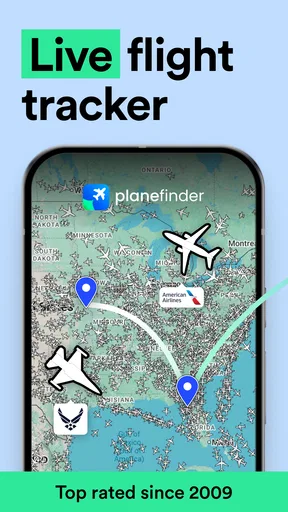
The app opens up to a global map, sprinkled with colorful airplane icons darting across the screen. It's a bit like watching a swarm of busy bees, each on its own mission. You can pinch and zoom to focus on specific areas or use the search function to find a particular flight, airport, or even a specific aircraft. Pretty neat, right?
Features That Soar
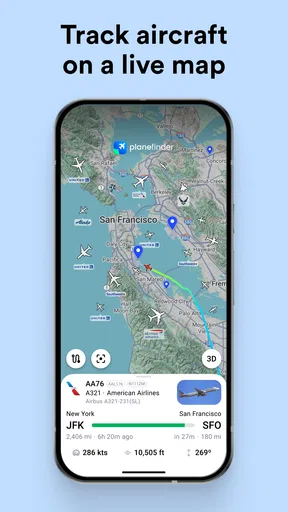
One of the standout features of Plane Finder is its real-time flight tracking. You can tap on any aircraft to get a wealth of information, like its flight number, speed, altitude, and origin-destination details. It's like having a digital passport to the skies!
For aviation enthusiasts, the app also provides detailed plane models and airline liveries, which is a sweet touch. Want to know what type of aircraft is flying overhead? Plane Finder has got you covered.
Another cool aspect is the augmented reality mode. Aim your phone at the sky, and the app overlays flight details on your screen. It’s a bit like being in a sci-fi movie, and it’s incredibly satisfying to see technology and reality blend seamlessly.
Customizing Your Experience
Plane Finder doesn’t just stop at tracking; it offers customization options that let you tailor the experience to your liking. You can filter flights by airline, altitude, speed, and more. It’s like having a cockpit control panel in your hand.
For those who want to delve deeper, there's a premium version that unlocks additional features such as historical flight data, no ads, and enhanced filters. It’s a worthy investment if you find yourself frequently lost in the world of aviation.
Why You'll Love It
Whether you’re an aviation geek, a frequent flyer, or just someone with a curious mind, Plane Finder offers something for everyone. The app is not only functional but also educational, providing insights into the bustling world of air travel.
Imagine being at an airport, using the app to track incoming flights, or simply sitting in your backyard, identifying planes as they pass by. It adds an extra layer of engagement to the simple act of sky gazing.
The app has a 4.5 average from around 15,000 ratings, and more than a million installs, which suggests it has found a sizeable audience among people interested in aviation. It remains free to download, is rated Everyone, and its current version is 2026.1.3, with iOS 11 listed as the minimum operating system. Those details make it easy to judge whether it fits your device and household, though I would still check the purchase screen carefully before choosing any extras.
A practical tip for avoiding information overload is to start with one question rather than browsing every aircraft on the map. For example, search for a known flight, inspect its details, then use filters only if you want to compare nearby traffic. When I want to identify a plane overhead, augmented reality is the more playful route; when I want to follow a particular journey, the map and search are more useful. Switching between those approaches keeps the experience purposeful instead of turning a quick check into aimless scrolling.
There is a trade-off to the rich map view: it can be fascinating for an enthusiast but busy for someone who just wants a single answer. A younger user may enjoy the aircraft icons while missing the distinction between an estimate and a confirmed travel update. I’d use the details as prompts for curiosity and conversation, then verify time-sensitive plans through official travel channels. That balance lets the app add context without asking it to do a job it was not designed to handle.
Wrapping It Up
In a world where travel connects us more than ever, having a tool like Plane Finder in your arsenal is pretty awesome. It’s user-friendly, packed with features, and offers a glimpse into the intricate dance of air traffic.
So, next time you hear that familiar roar overhead, grab your phone, fire up Plane Finder, and dive into the fascinating world of flight tracking. Trust me, you’ll be hooked!
My household verdict is that this is worth trying if more than one person enjoys following aircraft, or if a frequent flyer’s progress gives the rest of the family a reason to check the map. It has enough detail to reward curious users, while its live view makes a quick shared look easy. I would skip it if you want only official disruption alerts, a full trip organizer, or an effortless answer to every airport question; those needs call for more specialized tools. For the right home, though, it turns a plane overhead or a journey in progress into a small, engaging moment to share.
Verdict
Strengths of Plane Finder - Flight Tracker
- Real-time flight tracking available.
- Easy-to-use interface for beginners.
- Detailed flight info and maps.
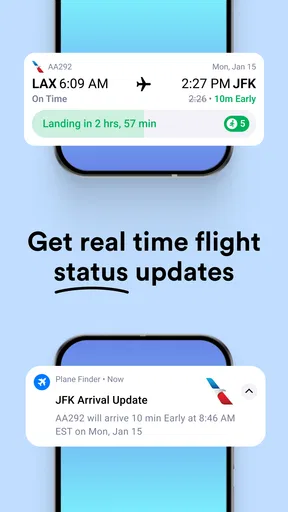
- Customizable alerts for flights.
- Works smoothly on multiple devices.
Limitations of Plane Finder - Flight Tracker
- Some features require in-app purchases.
- Occasional lag in updating flights.
- Limited offline functionality.
- Ads can be intrusive at times.
- May drain battery quickly.
Similar Picks in This Category
View All
Google Maps
Google LLC3.4

Google Maps Go
Google LLC4.1

Booking.com: Hotels & Travel
Booking.com Hotels & Vacation Rentals4.8

Google Earth
Google LLC3.8

Skyscanner Flights Hotels Cars
Skyscanner Ltd4.8

trivago: Compare hotel prices
trivago N.V.4.4
Frequently Asked Questions
How accurate is the flight tracking on Plane Finder?
Plane Finder uses real-time data from multiple sources, including ADS-B, MLAT, and FAA, to provide accurate flight tracking. While it offers highly reliable updates, discrepancies can occur due to signal availability and coverage issues. However, the app is known for its precision and consistency in most regions.
Does Plane Finder require an internet connection to function?
Yes, Plane Finder requires an active internet connection to access real-time flight data and updates. Without internet access, you can view cached information, but live tracking and updates will not be available until the connection is restored.
Can I track specific flights or airlines using Plane Finder?
Absolutely! Plane Finder allows users to search for flights by flight number, airline, or airport. You can set alerts for specific flights or track planes in real-time. The app offers a user-friendly interface for easy navigation and customizable viewing options.
Is Plane Finder available for both Android and iOS devices?
Yes, Plane Finder is available for download on both Android and iOS platforms. Users can find the app on the Google Play Store and the Apple App Store. The app offers a consistent experience across both platforms with regular updates to enhance functionality.
Are there any subscription fees or in-app purchases in Plane Finder?
Plane Finder offers a free version with basic features, but for advanced functionalities like additional map layers and no ads, there are in-app purchases. Users can opt for a one-time purchase or subscriptions to unlock premium features, offering flexibility based on individual needs.
